Choosing Filament Colors: Duotone, Tritone or Quadtone
Multicolor printing means choosing how many filaments to use and which colors they should be. More filaments give more tones, but they cost time and filament. This guide explains the options in the generators and how to choose well.
How the palette works
The palette has up to four slots. Filament 1 is the plate or card color and part of the image: any pixel matched to it shows the base color. Filaments 2 to 4 are inks. Each pixel of your image is assigned to its nearest filament color. The text uses any one of the filaments you pick.
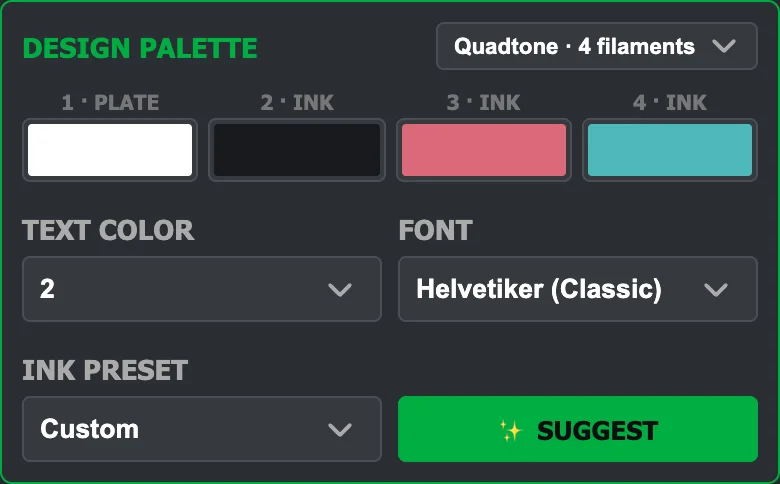
How many filaments?
| Mode | Filaments | Good for |
|---|---|---|
| Duotone | 2 | Logos, silhouettes and graphic art. Fastest, least waste. |
| Tritone | 3 | Simple shading: base, mid tone and dark. |
| Quadtone | 4 | Photos and portraits. The most detail and the most color changes. |
Every color change purges some filament, so extra filaments raise the waste and print time. Start with four, look at the result, then try fewer and see what you actually lose.
Picking the colors
- Use Suggest. It analyses your image and picks inks that best represent it, given the plate or card color you chose for filament 1.
- Presets: CMY (cyan, magenta and yellow, matching the Bambu filaments), Black + White, Black only, or Custom for your own choices.
- Keep tones apart. Choose a light, a mid and a dark color so the picture keeps its contrast. Colors that are too close to each other blur together.
- Match your spools. The viewer shows the swatch you pick, but the print shows the real filament, so choose the nearest actual shade you own.
A white card with cyan, magenta and yellow inks can reproduce many colors, much like a color printer. A dark card hides light inks, so there pick inks that contrast with it.
Algorithms
- Multitone: every pixel takes the nearest filament color. Best for photos.
- Duotone threshold: pixels become dark or light around a threshold. A bold, graphic look.
- Edge detection: draws outlines where the brightness changes quickly.
- Silhouette outline: traces a band around the edge of the subject.
Dithering
Dithering mixes the available colors in small patterns to imitate shades you do not have.
- None: flat colors with clean areas. It prints the most reliably.
- Error diffusion: a more organic, photo-like texture. The lamp plate starts with it at 10% strength.
- Ordered: a regular pattern, tidy and consistent. The player card starts with it at 25% strength.
Dots smaller than your nozzle cannot be printed accurately, and dithering looks best at a distance. Use strength to dial it down, and cleanup to remove isolated specks. The print preview shows what the dots turn into.
A simple method
- Pick the plate or card color first, because it is part of the picture.
- Press Suggest with four filaments.
- Adjust brightness and contrast until the main shapes read clearly.
- Try three and two filaments and compare. Keep the lowest count you are happy with.
- Check the print preview before you slice.